
If you’re preparing for a clerical, Patwari, Data Entry Operator, or similar post in Madhya Pradesh, the CPCT (Computer Proficiency Certification Test) is the gate you have to clear first. Most candidates spend weeks on the objective MCQ paper and almost no time on the part that actually sinks more attempts: the English typing test, where you need 30 NWPM sustained for a full 15 minutes.
That single number — 30 NWPM in 15 minutes — sounds low next to the WPM figures thrown around online. It isn’t. A 15-minute test punishes anything that breaks your rhythm: a fumbled word, a wrist that’s tired by minute nine, a moment where you second-guess a keystroke and reach for backspace. This guide covers the exact exam format, the official NWPM formula worked through with real numbers, why the 15-minute duration is the actual challenge, and a practice plan built around your current speed instead of a generic 30-day calendar.
Quick Self-Check: Are You Already Above 30 NWPM?
Before you plan a single day of practice, find out where you actually stand. Run a timed test on LetsTypeCheck’s typing test and note two numbers: your WPM and your accuracy. Not your best attempt — your average across three tries, since CPCT will not let you throw away a bad run and keep your best one.
If you’re consistently landing above 30 WPM at 95%+ accuracy on a short test, your real task isn’t building speed — it’s building endurance for 15 straight minutes, covered in Section 5. If you’re below that, Section 8 has a practice track that matches your starting point. Either way, understanding how WPM is actually counted (see What Is WPM?) will make every number in this guide easier to interpret.
CPCT Typing Test Format: The Full Picture
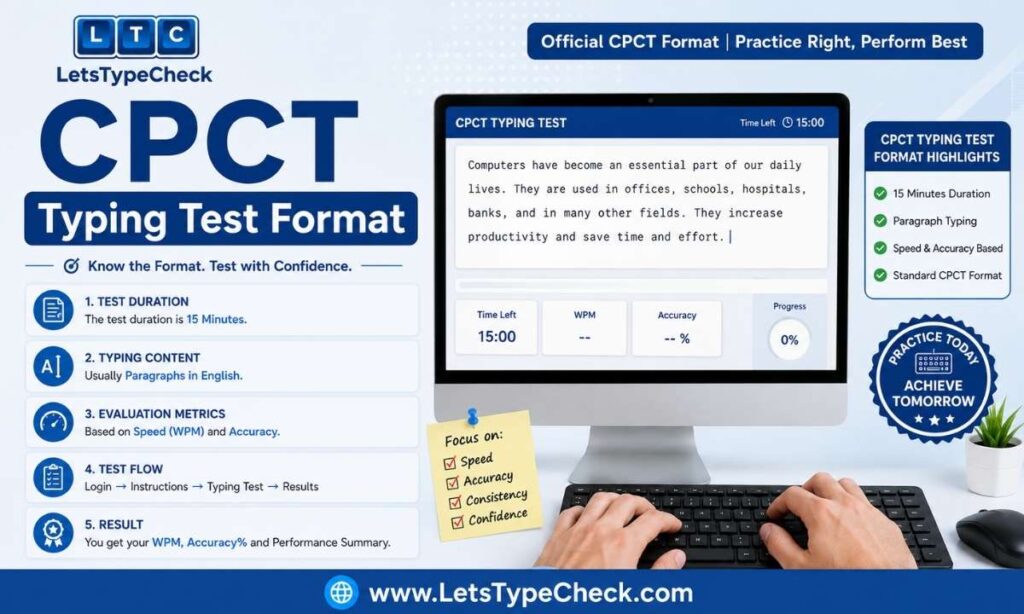
CPCT is a two-part exam taken in a single sitting. Both parts must be cleared — a strong typing score does not offset a failed MCQ section, and vice versa.
Part 1 — Computer Proficiency (MCQ): 75 questions across six areas — basic computer operations, hardware and software fundamentals, general IT skills, reading comprehension, quantitative and reasoning ability, and general awareness — to be completed in 75 minutes. There’s no negative marking. You need at least 38 out of 75 (50%) to pass this part; falling short here invalidates your scorecard regardless of how well you type.
Part 2 — Typing Test (English and Hindi): Two separate 15-minute segments, one per language. Clearing the minimum NWPM doesn’t just give you a pass/fail — CPCT grades typing performance on a tiered scale, so typing faster than the bare minimum genuinely improves your standing on the final merit list.
| Language | Minimum Speed (Qualifying) | Higher Score Band | Duration |
| English Typing | 30 NWPM | 51+ NWPM | 15 Minutes |
| Hindi Typing | 20 NWPM | 41+ NWPM | 15 Minutes |
Each language section is scored and reported separately on your scorecard. You can pass English and fail Hindi (or the reverse) — the two are evaluated independently, so weakness in one language doesn’t disqualify a pass in the other.
The NWPM Formula, Explained With a Worked Example
CPCT scores you on Net Words Per Minute, not raw typing speed. Every word you type counts toward your raw total, but only words that exactly match the source text count toward the number that determines your pass or fail. In practice, the exam software works out three things: how many total words you produced, how many of those were flawless, and how many minutes you had — then divides the flawless count by your time to get NWPM. Mistyped, misspelled, or partially wrong words are simply dropped from that count rather than typed correctly; they don’t earn partial credit.
Here’s how that plays out with real numbers. Say a candidate types for the full 15 minutes and ends up with 480 words on screen, but 30 of those don’t exactly match the source passage — a swapped letter here, a skipped word there.
- Raw output: 480 words in 15 minutes → 32 words/minute before any error is counted
- Flawless words only: 480 − 30 = 450 → 450 ÷ 15 minutes = 30 NWPM
- Accuracy: 450 flawless out of 480 total = about 93.75%
That candidate clears the 30 NWPM bar — barely. Cut the error count from 30 to 15 while typing at the same raw pace, and NWPM climbs to roughly 31, with accuracy over 96%. The raw typing speed barely moved; the error count is what shifted the pass/fail line. This is the core mechanic behind CPCT scoring — see Gross WPM vs Net WPM for the fuller breakdown of why errors cost more than they seem to.
Why 30 NWPM Is Harder to Sustain Than It Sounds
Type 30 WPM for one minute and it feels almost slow. Type it for fifteen straight minutes without a single pause to reset your hands, and it’s a different task entirely. Most candidates who fail CPCT typing don’t fail because their peak speed is too low — they fail because their speed and accuracy both collapse somewhere around minute eight or nine, and the drop-off drags their 15-minute average below the 30 NWPM line even though their first few minutes looked fine.
This is why practicing exclusively on 1-minute or 2-minute tests is a trap: it trains burst speed, not the muscular and mental endurance a 15-minute passage actually demands. Once you can comfortably clear 30 WPM on a 5-minute typing test without your accuracy dropping in the final minute, you’re training the right thing. Building past your qualifying number rather than sitting right at it — see How to Reach 60 WPM — also gives you a speed cushion, so a mid-test slump still leaves you comfortably above the pass line instead of exactly on it.
Backspace Is Allowed — But It’s Not Free
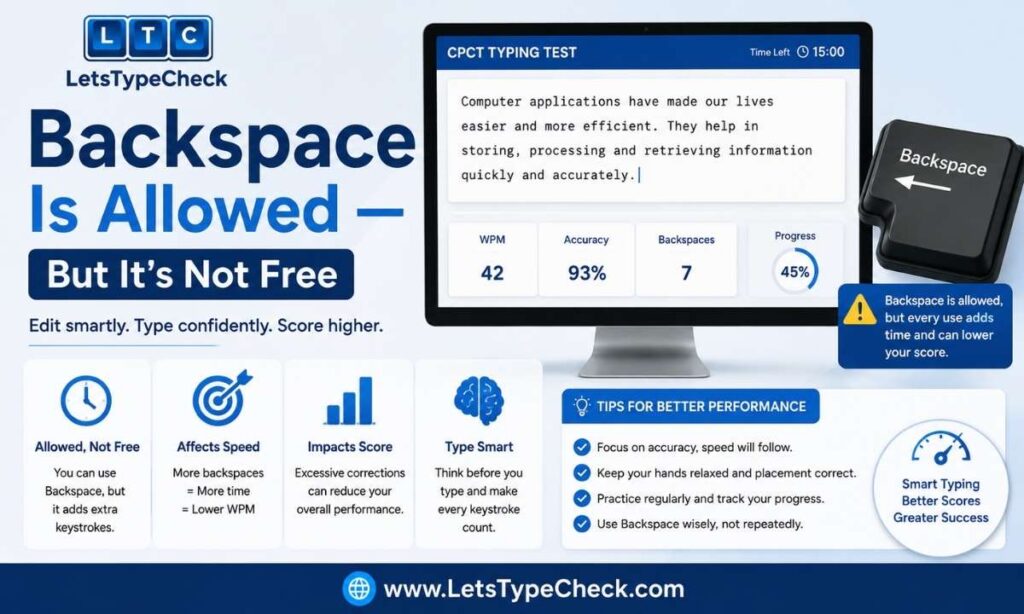
CPCT runs on an “unrestricted” typing mode, meaning the backspace key works throughout the test. Every one of the mock-test sites confirms this, but almost none of them explain what it costs you: every backspace and retype is time you’re not spending moving forward, and in a fixed 15-minute window, that time comes directly out of your final word count.
The practical rule: correct a mistake immediately, in the same word, if you catch it right away — that costs a fraction of a second. Do not scroll back several words later to fix something you already passed; by then the correction costs far more time than the single wrong word would have cost in accuracy. Since Net Words only counts fully correct words, an uncorrected typo removes exactly one word from your Net count — but a late correction can cost you several seconds of lost typing time, which removes far more than one word’s worth of speed.
If you consistently find yourself reaching for backspace on the same handful of letter combinations, that’s a fixable habit, not a speed problem — see Common Typing Mistakes and Fixes for how to isolate and drill them out.
Hindi Section: Font and Layout Rules
If your CPCT application includes the Hindi typing section, the font and layout rules are strict and non-negotiable. CPCT evaluates Hindi typing only in Unicode Mangal font — legacy fonts like Kruti Dev 010 are not accepted, even though many older typing institutes still teach on Kruti Dev.
Before the Hindi segment begins, the exam software asks you to choose a keyboard layout: Remington (Gail) or Inscript. If you already learned typing on a Kruti Dev keyboard, Remington (Gail) is the easier transition, since the physical key positions are nearly identical — only the underlying font changes. If you’re learning Hindi typing from scratch specifically for this exam, Inscript is worth considering: it’s the layout the Indian government standardized, and its phonetic key arrangement is generally considered more logical to learn than memorizing Remington’s key map from zero.
If you only need the English section for your specific post, you can skip this section entirely — it has no bearing on your English NWPM score.
A Realistic Practice Plan by Starting Speed
Generic “30 days to CPCT” calendars assume everyone starts from the same place. They don’t. Where you begin should decide how you structure your practice.
Starting below 15 WPM
Your priority is not speed — it’s building correct finger placement so speed becomes possible later. Spend the first stretch on short, low-pressure sessions using an Easy-mode 2-minute test, focused purely on accuracy. Don’t touch a 15-minute test yet; you’ll only reinforce fatigue-driven mistakes before your fundamentals are solid.
Starting between 15–25 WPM
You have the fundamentals; now you need to close the gap and start building stamina. Alternate between accuracy-focused drills and timed tests, gradually moving from 2-minute to 5-minute tests as your comfort improves. Introduce Medium-difficulty passages once you’re consistently above 20 WPM, since CPCT’s real exam text won’t be simplified vocabulary.
Starting between 25–30 WPM
You’re close to qualifying on speed alone — your real work now is sustaining that speed for the full 15 minutes without your accuracy sliding. Run full 15-minute mock sessions several times a week, back to back if possible, and track whether your WPM and accuracy in minute 14 match minute 2. If they don’t, that gap — not your top speed — is what needs the work.
CPCT vs Other Government Typing Exams
If you’re preparing for more than one government typing exam at the same time, it helps to see how CPCT’s requirements compare — the scoring logic differs more than the headline WPM numbers suggest.
| Exam | Speed Requirement | Duration | Error Handling |
| CPCT (MP) | 30 NWPM (English) / 20 NWPM (Hindi) | 15 min per language | Unrestricted — backspace allowed throughout |
| SSC (typical) | 35 WPM (varies by post) | 10 min | Backspace typically disabled |
| RRB NTPC / Group D | 30 WPM (varies by post) | 10 min | Restricted correction rules |
The biggest practical difference is CPCT’s unrestricted backspace and its longer 15-minute window — both of which reward accuracy management over raw burst speed. If you’re also preparing for exams with the backspace disabled, see Typing Test for Jobs for a broader breakdown of WPM requirements by exam and role, and Gross WPM vs Net WPM for how different exams calculate their pass/fail line.
Posture and Focus for a 15-Minute Test
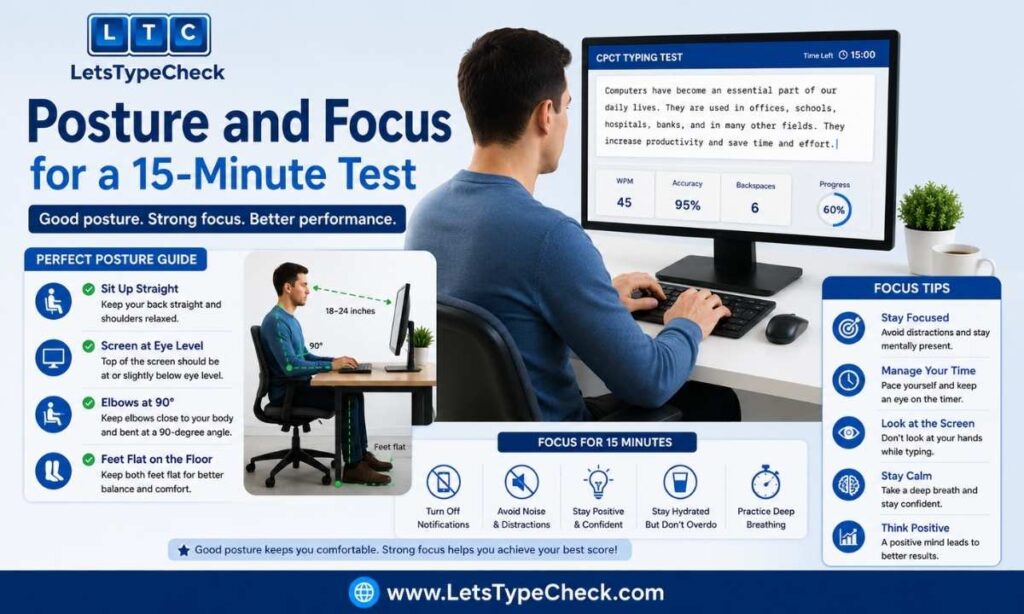
Fifteen minutes of continuous typing is long enough for poor posture to actively cost you WPM — a slouched wrist or a screen positioned awkwardly will slow your last five minutes even if your first five were clean. Get your desk setup right well before exam day, not the morning of. See Keyboard Posture & Ergonomics for a full setup guide, but the short version for a sustained test like CPCT: wrists floating (not resting on the desk edge), screen at eye level so you’re not tilting your neck down for 15 minutes straight, and feet flat on the floor rather than tucked under the chair.
Exam-Day Checklist
- Arrive early enough to sit for a few minutes before your slot — a rushed start raises your error rate in the first two minutes, which you then spend the rest of the test trying to recover from.
- Remember your language and layout choices are locked in at the application stage — you cannot switch Remington/Inscript or add a language on exam day.
- Don’t chase speed in the first minute. A fast, error-heavy start is harder to recover from than a slightly slow, clean one.
- Keep your eyes on the source text, not the screen showing what you’ve typed — glancing back and forth costs more time over 15 minutes than most candidates realize.
- If your hands start to tire mid-test, ease off slightly rather than pushing through cramped, error-prone typing — a small, controlled dip in speed costs less than a run of mistakes.
Common CPCT-Specific Mistakes
Practicing only in short bursts. If every practice session is 1–2 minutes, you’re training for a test that doesn’t exist. Build up to full 15-minute mock sessions well before exam day.
Drilling isolated words instead of full passages. CPCT tests continuous paragraph typing, including punctuation and natural sentence flow — word-list drills don’t transfer the same rhythm.
Over-relying on backspace as a safety net. Knowing correction is allowed can make candidates careless early on, then run out of time fixing accumulated errors near the end.
Ignoring accuracy until the final week. Speed built on sloppy accuracy has to be partly unlearned later, which wastes more time than building accuracy first would have.
For a deeper breakdown of these patterns and how to retrain them, see Common Typing Mistakes and Fixes.
The Bottom Line
30 NWPM in 15 minutes is a completely achievable target with the right practice structure — the number itself isn’t the hard part. What actually separates a pass from a near-miss is endurance across the full 15 minutes, disciplined use of backspace, and accuracy that doesn’t erode as fatigue sets in. Build your practice around those three things rather than chasing peak speed alone, and the qualifying line stops being a close call.
Frequently Asked Questions
What is the minimum typing speed to pass CPCT?
30 NWPM (Net Words Per Minute) in English, sustained across the full 15-minute typing test. The Hindi section, if applicable to your post, requires 20 NWPM in its own separate 15-minute test.
Is 30 WPM hard to achieve for a beginner?
Not as a peak speed — most people reach 30 WPM in short bursts within a few weeks of regular practice. The harder part is holding that speed and accuracy for the full 15 minutes without a drop-off, which takes longer to build than raw speed does.
Can I use backspace in the CPCT typing test?
Yes. CPCT runs in unrestricted mode, so backspace is available throughout the test. Using it costs time, though, so it’s worth correcting mistakes immediately rather than scrolling back later.
What happens if I pass typing but fail the MCQ section, or the reverse?
Both parts must be cleared independently. A strong typing score does not offset a failed MCQ score, and a strong MCQ score does not offset a failed typing test — you need to qualify in both to receive a valid CPCT scorecard.
How long is the CPCT scorecard valid?
The CPCT scorecard is valid for 7 years from the date of the exam, per the current rule book.
Which font and keyboard layout does CPCT use for Hindi?
CPCT evaluates Hindi typing only in Unicode Mangal font. You choose between two keyboard layouts — Remington (Gail) or Inscript — at the application stage, and that choice cannot be changed later.
Can I retake the CPCT typing test if I fail?
CPCT is conducted periodically throughout the year, so you can reapply for a later exam cycle. There is typically a required gap before you can reappear — check the current official notification for the exact waiting period, as this detail is periodically revised.